For church teams
Know where every
Sunday stands.
Create your series graphics and see which Sunday presentations are ready. With Planning Center connected, uploaded sermon notes automatically become slides in your chosen look. Your team reviews and approves; SundayPilot returns the ProPresenter bundle to the plan.
14 days free. No credit card required.
Need graphics only? Start with Graphics membership.
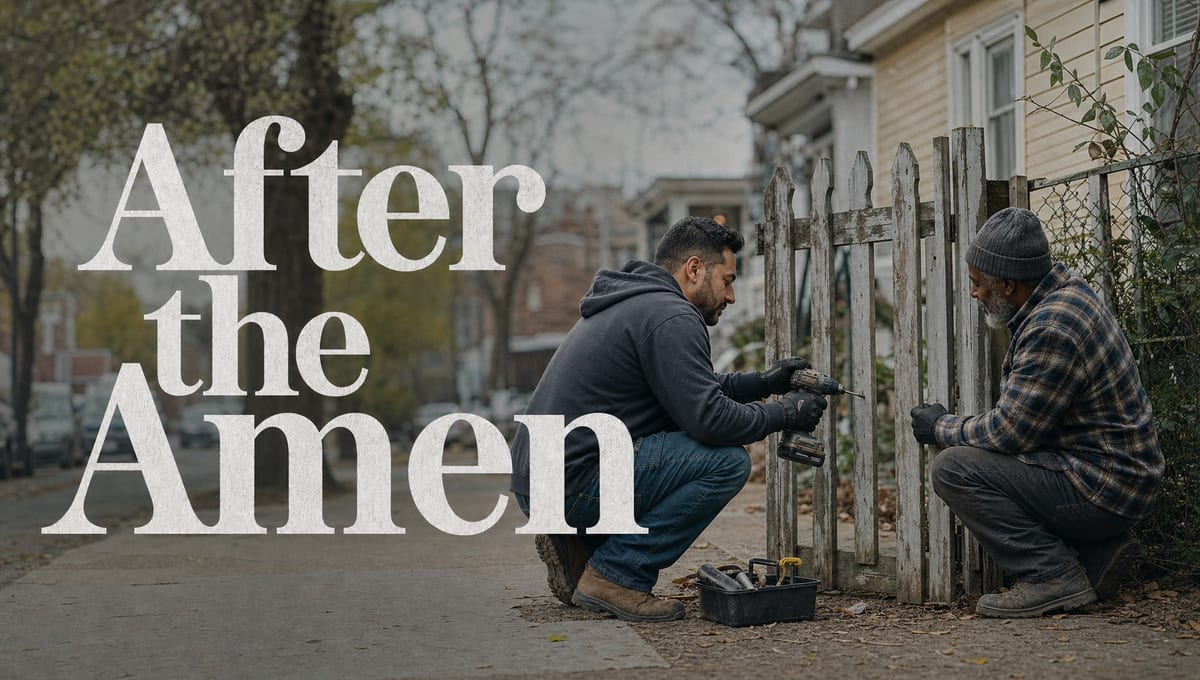
Series looks made with SundayPilot









The workflow
Your series, from idea to Sunday.
Prepare a series before its notes exist. When the notes arrive, the presentation follows on its own and waits for a person’s approval. Without Planning Center, you upload the notes and download the bundle; the rest is the same.
01
Sync your plans
Connect Planning Center and choose the Services to track. SundayPilot regularly syncs the upcoming plans, notes or not. Or enter a series and upload notes yourself.
02
Prepare the look ahead
Set the heart of the series and choose a look from directions written for your church — weeks early, if you like.
03
Notes arrive, slides build
When sermon notes are attached to the plan, SundayPilot detects them and generates that week’s presentation in the series look.
04
A person reviews and approves
Your team checks the presentation against the message, edits what needs it, and approves.
05
Back to the plan
The approved .probundle is attached to the plan for the booth. Without Planning Center, download it.
Connect
Upcoming Sundays, visible before the notes.
Plan services in Planning Center like you already do. SundayPilot regularly syncs upcoming plans from the Services you choose to track, so each Sunday shows what it is waiting on. Once the screen setup and the series look are ready, notes attached to a plan trigger that week’s presentation.
Planning Center · Sunday Service
ConnectedSunday, 9:30 AM — plan synced
Look readyMessage: One Brave Step
Waiting on message notesSermon notes attached to the plan
Presentation generatedCreate
One look, shared by everything.
Choose the look once, from directions written for your church. It becomes the foundation for the social graphics, the print invitation, the livestream lower third, the slide background, and every week’s presentation — the same art, drawn for each format rather than resized. Screen pieces and presentations come at your screen size; social and print pieces come in their own formats.
Series looks · made for your church
Ready for review
Deliver
Your team approves. SundayPilot delivers.
Nothing reaches the plan on its own. Your team reviews each presentation, edits what needs it, and approves — and only then does the bundle go back to Planning Center, where the booth brings it into ProPresenter through the integration it already uses.
This Sunday · Go First
Returned to Planning Center
✓In ProPresenter, open the plan and add the presentation to your playlist. Live text, Looks, lower thirds, and livestream screens continue working with your existing setup.
The dashboard
See what’s ready. Know what’s next.
Every upcoming Sunday shows where it stands — look chosen, notes in, presentation built, reviewed, approved — so your team has one place to see what is moving and what needs someone’s attention.
getsundaypilot.com · sample church
This Sunday
Is Sunday ready?
Go First · this Sunday
Approved · returned to the Planning Center plan
Sunday queue
Go First
This Sunday · approved, in the plan

Before You Speak
Next Sunday · presentation built
Made for This
In two weeks · look ready

How Long?
In three weeks · look ready
What you get
From the screen to the invitation.
One series, one look, every format it needs. Each piece below was drawn from the look this church chose: the screen graphic and slide background at their screen size, the social and print pieces in their own formats, the lower third for the stream.







Sometimes the hardest part of love is going first. An apology, a welcome, an honest conversation, a need quietly met—following Jesus often begins with one brave step before we know how it will be received. Go First explores the everyday courage of acting on love instead of waiting for someone else to lead. Join us as we learn to take one faithful step toward another person.
Made for your church.
Directions are written for your church, not picked from a library; you choose the one that fits.
Drawn from your approved artwork.
The social, print and stream pieces are rendered from the look your team locked — the same art, not a resized copy.
Checked before you see it.
Every piece that carries words is proofread automatically; anything the check catches is remade or flagged for another try. Your team still sees each piece before it goes anywhere.
Why teams trust it
Accurate to the message. Consistent with your church.
Your pastor’s words, word for word.
The points on screen come straight from the message notes — verbatim, never paraphrased. Quoted Scripture comes from the notes too, in the translation your pastor used. If the notes give only a reference, the slide shows the reference; SundayPilot never fills in a verse from memory.
From the notes → on the screen
“Take one specific, faithful step toward another person.”
Exactly as written. Nothing added, nothing reworded.
One look. Every slide. Every week.
Titles, teaching points, and scripture all use the approved series background and your configured screen sizes. It is the same presentation your team reviews in SundayPilot and receives in ProPresenter.
Title
Take one specific, faithful step toward another person.
Point
1 John 4:19
Scripture
Scripture
Go First · Week 1 · 18 slides
Ready for reviewKeep your church’s presentation preferences.
When your team edits a presentation, SundayPilot keeps the preference: how you title slides, where points break, how scripture is formatted, how a presentation is structured. The next week starts from those choices.
Saved to your Sunday Profile.
We’ll use this preference in future presentations and creative work.
The loop actually closes.
After approval, the finished .probundle is attached to the Planning Center plan — the same place your booth opens on Sunday morning. No other system, no hunt for the latest file. Without Planning Center, it is a download.
go-first-week-1.probundle
Better creative work. Less rebuilding.
One vision. Every Sunday connected.
Teams
Sunday is a team effort.
Setting the heart of a series, choosing the look, checking the message, running the booth — different people at most churches, one person at some. SundayPilot gives each step its own place: everyone can see what needs their attention and what is ready for the next step, and one person can hold as many steps as they need to.
Pricing
Two memberships. Try either one free for 14 days.
Choose graphics, or add weekly presentations and Sunday readiness. Try either membership free for 14 days. No credit card required.
Graphics membership
The look and every graphic around it.
or $390 / year — save $78
- A series look chosen from directions made for your church
- Square, portrait and story graphics for social
- A 5×7 invitation with your service times
- A lower third for the stream and the slide background
- A post caption written for the series
- Screen, social, and print downloads
- Weekly presentations from your pastor's notes
- ProPresenter files and Planning Center delivery
- Team members — the pastor, the designer and the booth, each with their own step
Complete membership
Series graphics and every week's presentation, connected.
or $999 / year — save $189
- Everything in Graphics membership
- Each week's ProPresenter presentation, built from your pastor's notes in the series look
- Your team invited in — the pastor, the designer and the booth, each responsible from their step
- Review, edit and approve as a team; your church's preferences kept
- The finished file returned to the Planning Center plan, or downloaded
- Planning Center connected: notes picked up, plans watched
14 days free, no credit card; the trial starts when you first generate graphics or a presentation · Choose the membership at sign-up, switch during the trial · Secure checkout by Stripe · Change or cancel any time from Settings · Membership Terms · Questions first? Write us — mark@getsundaypilot.com
Questions
Asked by teams like yours.
Do we have to change how we plan?
No. If you use Planning Center, it stays your source of truth — SundayPilot connects to the plans you already build. If you don’t, you enter the series and upload the notes.
What do we need to run it?
Graphics membership works in a web browser; the artwork downloads as ordinary image files. Presentation export currently supports ProPresenter 7 on Mac. Planning Center is optional for Complete: connect it for automatic plan syncing, notes detection, and approved presentation delivery, or upload notes and download presentations directly.
What happens automatically, and what waits for us?
With Planning Center connected, your screen configured, and the series look chosen, SundayPilot regularly syncs the plans you track, detects sermon notes as they are attached, and generates that week’s presentation in the series look. Then it waits for a person: your team reviews, edits if needed, and approves, and only then is the bundle attached to the plan.
Will it change how we use ProPresenter?
No. The presentation arrives as a normal ProPresenter file. Live text, Looks, lower thirds, stage displays and livestream screens keep working with your existing setup.
How does SundayPilot use AI?
AI does two jobs. It creates the series artwork — from a description of the series and your church — and it prepares each presentation from your pastor’s notes. The words on the slides are your pastor’s, taken from the notes as written; AI arranges them, it does not write them, and it never supplies Scripture from memory. Every piece with words on it is checked automatically before you see it; the check is not perfect, which is one reason your team reviews everything AI makes before it goes anywhere.
What comes with a series?
Once your team chooses the look: the screen graphic and slide background at your screen size, square, portrait and story graphics for social, a 5×7 invitation with your service times, a lower third for the stream, and a post caption written for the series. On Complete membership, each week’s presentation is then built from that week’s notes in the same look.
What is the difference between the two memberships?
Graphics membership is the look and everything made from it — social, print, the lower third, the slide background, the post caption, downloads — and needs no ProPresenter or Planning Center. Complete membership adds each week’s ProPresenter presentation from your pastor’s notes, team review and approval, Sunday readiness, and delivery to the Planning Center plan when it is connected. You choose which to try at sign-up, can switch during the trial, and can change memberships any time after.
What if it doesn’t work for our church?
Then you won’t have paid for it. Every church gets a 14-day free trial — no credit card required — with the whole product: series graphics, presentations from your message notes, review and approval, downloads, and Planning Center delivery. Choose a plan during the trial and billing begins when the trial ends; choose nothing and nothing is charged, with nothing to cancel. After that, an annual plan stays committed for its year; a monthly plan can cancel ahead of any renewal.